If you’ve ever crushed a drive and thought, “Why can’t I do that every time?” you’re already thinking about smash factor without realizing it.
Smash factor is one of the most useful numbers in golf. It shows how well your swing turns into ball speed. And it can help you fix things like slicing your driver and losing distance.
Let’s keep this simple and easy to follow.
What Is Smash Factor?
Smash factor is a metric that compares ball speed to club speed.
Smash factor = ball speed ÷ clubhead speed
Example:
-
Ball speed: 150 mph
-
Clubhead speed: 100 mph
-
Smash factor: 1.50
That’s a strong number. It means you are getting great energy transfer.
Higher smash factor means better contact. Lower smash factor means something is off.
Why Smash Factor Matters for Golfers
Many golfers chase swing speed.
But swing speed alone does not create greater distance.
You need solid contact.
Smash factor shows:
-
How well you hit the center of the clubface
-
How efficient your swing mechanics are
-
How much energy transfer you are getting
If your smash factor numbers go up, your distance usually improves without swinging harder.
What Is a Good Smash Factor?
Here are simple benchmarks.
Driver
-
Ideal smash factor: 1.48 to 1.50
-
Good smash factor: 1.45+
-
Low smash factor: below 1.40
Irons
-
Ideal smash factor: 1.30 to 1.40
Even PGA players aim for these ranges. A high smash factor means strong ball striking.
What Affects Smash Factor?
A few key things control your smash factor.
Impact Location
The closer you hit the center of the clubface, the better. The sweet spot gives you the best ball speed and energy transfer.
Clubface Angle
An open clubface is a big reason golfers slice. It also lowers smash factor because the strike is weaker.
Swing Path
Your swing path controls how the club moves through impact. A poor path makes it harder to get centered contact.
Dynamic Loft
Dynamic loft is the loft you deliver at impact. Too much or too little can reduce ball speed.
Angle of Attack
This affects how you strike the golf ball.
-
Driver: slightly upward
-
Irons: downward
Getting this right improves smash factor.
Why You Need a Launch Monitor
You can’t see smash factor with your eyes. You need real data.
A launch monitor tracks:
-
Ball speed
-
Clubhead speed
-
Smash factor
-
Swing path
-
Face angle
-
Impact location
This is where TruGolf stands out.
TruGolf Launch Monitors That Help You Improve Smash Factor
If you want to improve smash factor, you need reliable data. TruGolf offers two powerful launch monitors that help golfers understand their swing and fix issues like slicing.
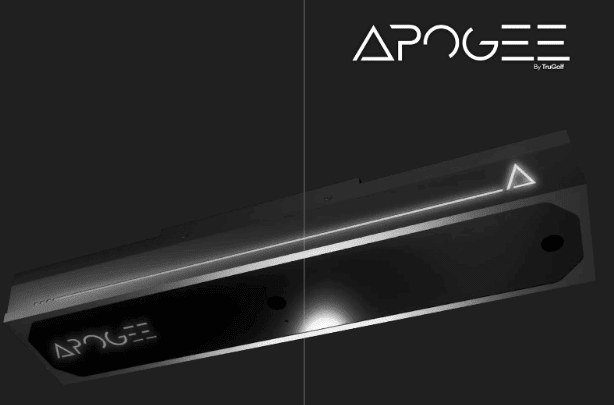
Apogee Launch Monitor
The Apogee launch monitor is built for accuracy and real improvement.
It tracks everything you need:
-
Ball speed
-
Club speed
-
Smash factor numbers
-
Clubface angle
-
Swing path
-
Impact location
This gives you a clear look at your golf swing. If your smash factor is low, Apogee helps you see exactly why.
For example:
-
Hitting the toe? You’ll see it
-
Clubface open? You’ll see it
-
Swing path off? You’ll see it
That kind of feedback helps golfers fix problems faster.
LaunchBox Launch Monitor
LaunchBox is a more compact option that still delivers powerful data.
It’s great for golfers who want:
-
Easy setup
-
Reliable tracking
-
Clear feedback
You still get key numbers like:
-
Ball speed
-
Club speed
-
Smash factor
This makes it easier to improve your ball striking without overcomplicating things.
How Launch Monitors Help Fix a Slice
If you slice your driver, your smash factor is often low too.
That’s because:
-
The clubface is open
-
Your swing path is off
-
You are missing the center of the clubface
A launch monitor shows all of this clearly. Fix those, and your smash factor improves right along with your ball flight.
Using TruGolf Data to Improve Smash Factor
Here’s how golfers use launch monitor data to get better.
Step 1: Check Your Smash Factor Numbers
Start by seeing where you are. If your smash factor is low, you know you are losing energy.
Step 2: Look at Impact Location
Are you hitting the center of the clubface? If not, focus on centered contact first.
Step 3: Fix Your Clubface
If your face angle is open, you are likely slicing. Work on getting the clubface square at impact.
Step 4: Adjust Swing Path
A better swing path helps you strike the ball more cleanly. This improves smash factor and direction.
Step 5: Repeat and Track Progress
With a launch monitor, you can test changes right away. This helps you build better habits faster.
Where Simulators Fit In
While launch monitors do the heavy lifting, pairing them with a golf simulator can make practice more engaging.
TruGolf systems like TruGolf MAX or Starter 10 combine:
-
Launch monitor data
-
Real course play
-
Practice modes
This makes it easier to stay consistent with your training.
Quick Drill to Improve Smash Factor
Try this:
-
Swing at 70 percent speed
-
Focus on center-face contact
-
Check your smash factor
You will likely see better numbers right away.
FAQ: Smash Factor in Golf
What is smash factor?
It is the ratio of ball speed to clubhead speed. It shows how well you transfer energy.
What is a good smash factor?
For a driver, around 1.45 or higher is good. The ideal smash factor is close to 1.50.
Why is my smash factor low?
Usually from off-center contact, poor swing path, or an open clubface.
Can a launch monitor help my smash factor?
Yes. It shows your data so you can fix problems faster.
Can smash factor help fix a slice?
Yes. Better contact and a square clubface improve both.
Do I need a golf simulator?
Not required, but it can make practice more fun and consistent when paired with a launch monitor.
Ready to Improve Your Game?
If you want more distance and straighter shots, start with better data.
TruGolf launch monitors like Apogee and LaunchBox give you the tools to improve smash factor, fix your slice, and build a more consistent golf swing.
Take a closer look at TruGolf and start practicing with purpose today.