


E6 by TruGolf
The latest generation of E6 has 15,000 Courses, Skills Challenges, Club Fitting, Bag Mapping, and an updated UI for unmatched user experience.
15,000 Courses Now Available
E6 by TruGolf is a golf simulation software platform, offering access to over 15,000 4K-rendered golf courses, AI-powered game improvement tools including Bag Mapping, Club Fitting, and Skills Challenges, and compatibility with 19 launch monitor devices. E6 is used by golfers at home, at commercial facilities, and in professional instruction settings worldwide. Compatible hardware includes the APOGEE launch monitor and LaunchBox. Check out what we have added, what we have made better with the latest update. Check out a highlight of the latest from E6 by TruGolf below.
Play Today


Great Data Makes Golf, Easy.
Check out the game improvement tools inside E6 by TruGolf.
-
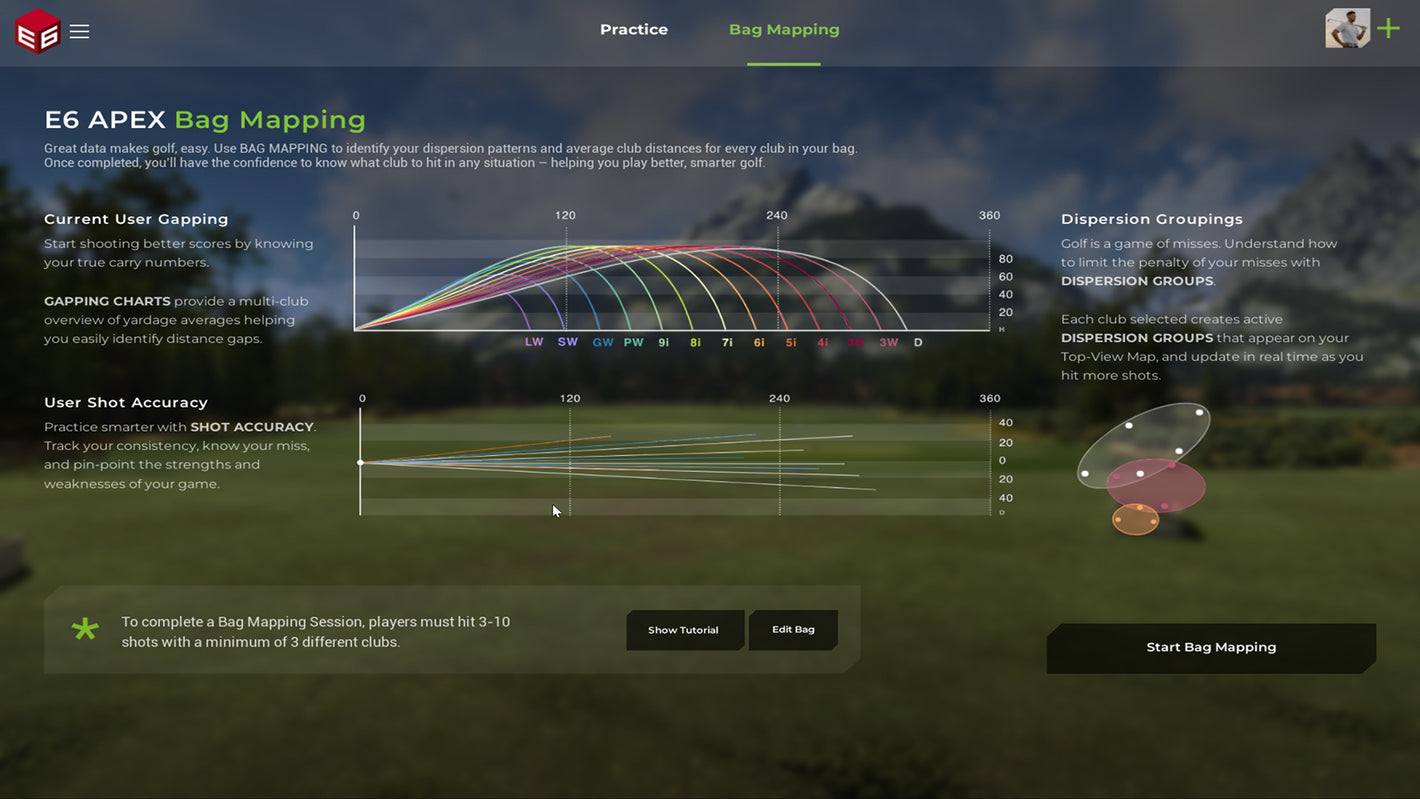
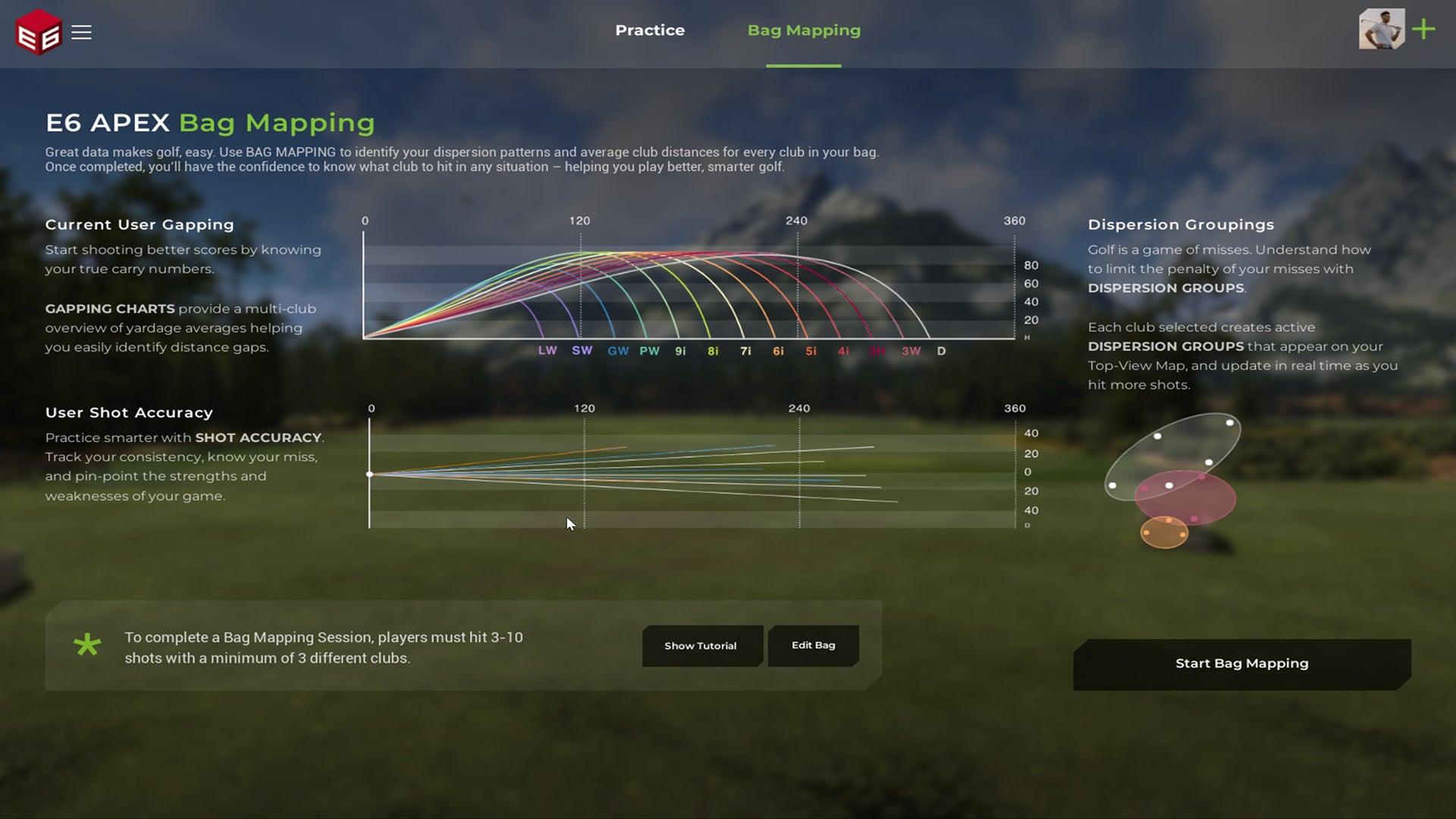
Bag Mapping
Get StartedUse the BAG MAPPING game mode to identify your dispersion patterns and average club distances for every club in your bag.
-
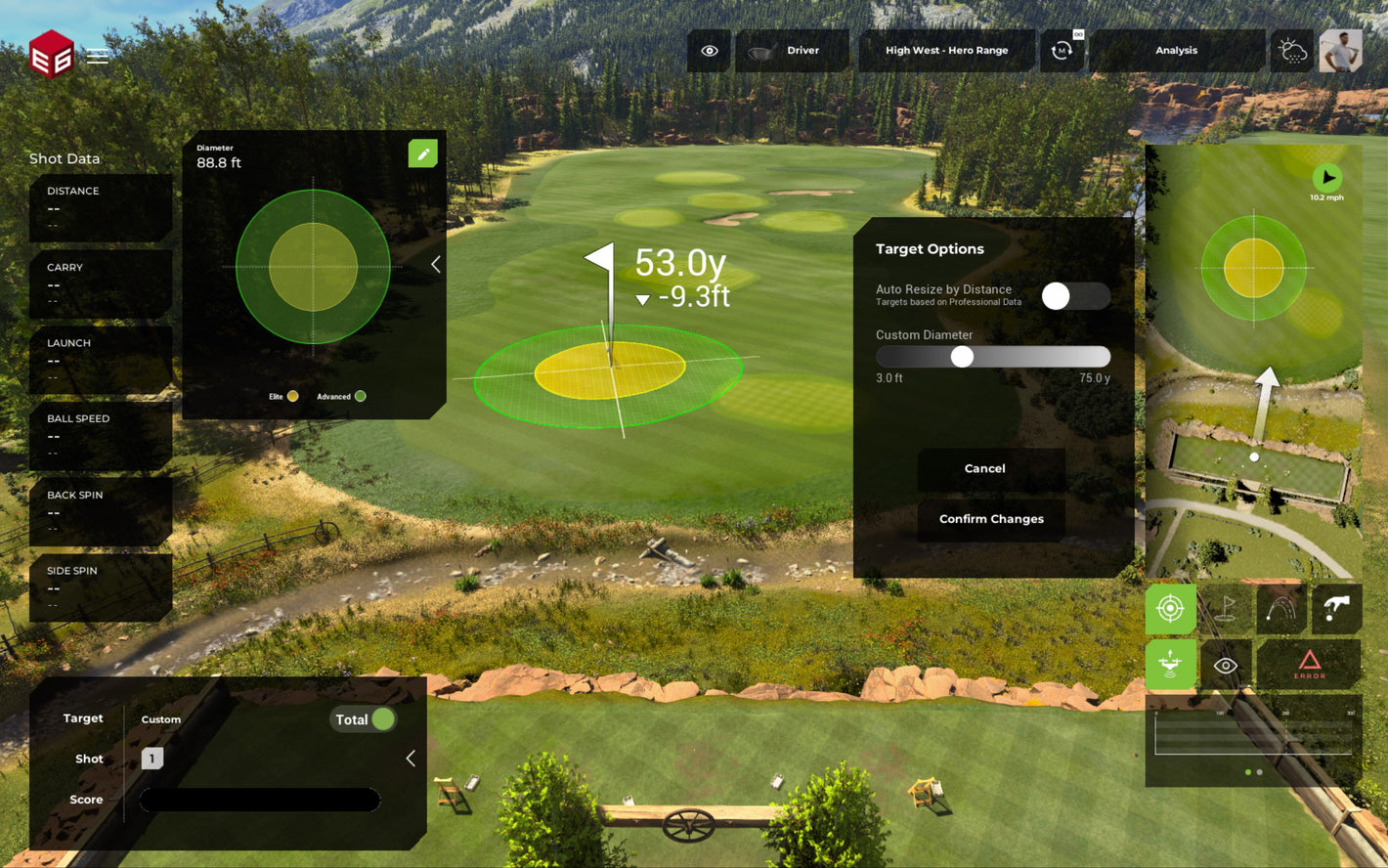
Scoring Zone
E6 by TruGolfCreate a custom Scoring Zone and place it anywhere on the Practice Range to quantify your Proximity and work on your ball striking.
-
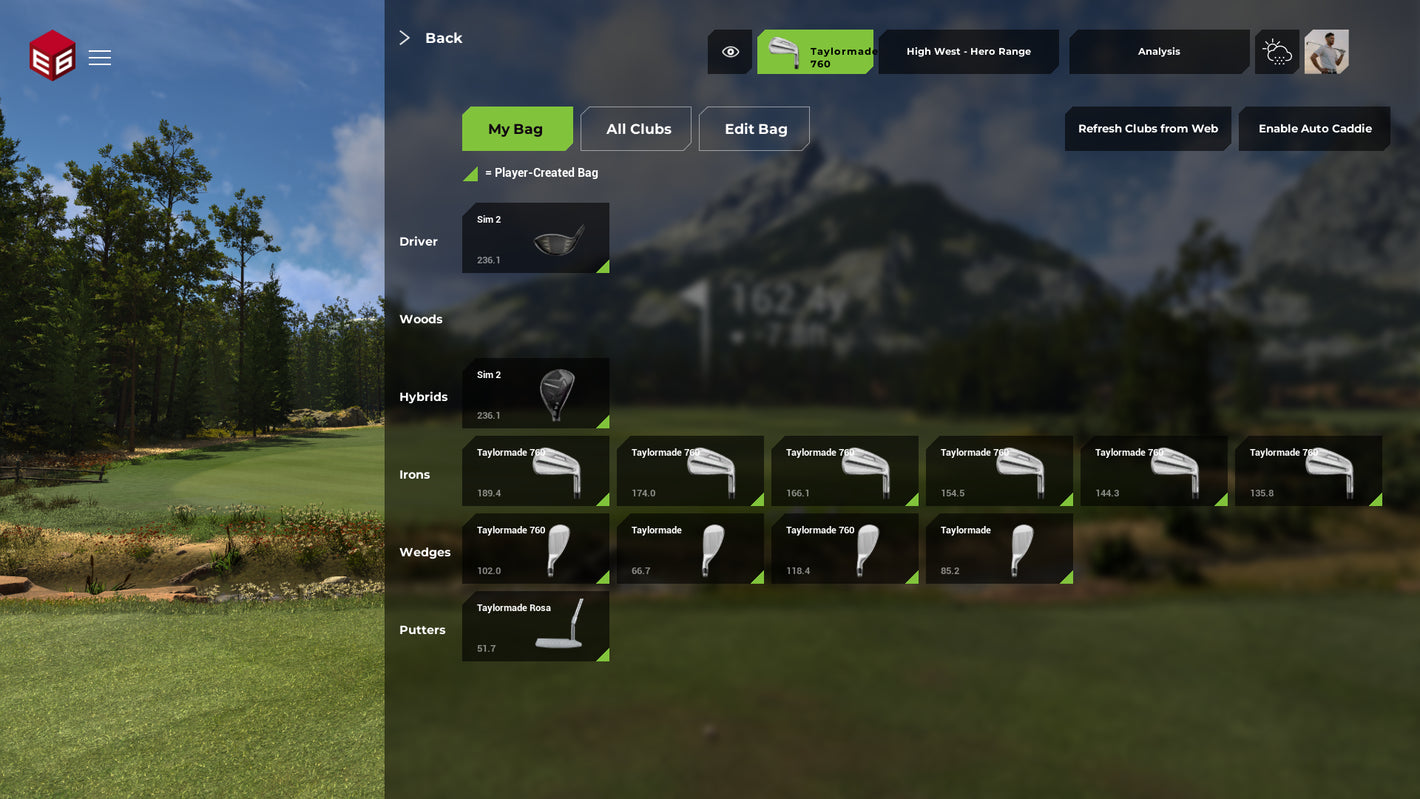
Build Your Bag
Custom BagCustomize the clubs in your bag with the E6. Track your dispersion and make the most of your equipment. Fill out the fields on e6golf.com
-
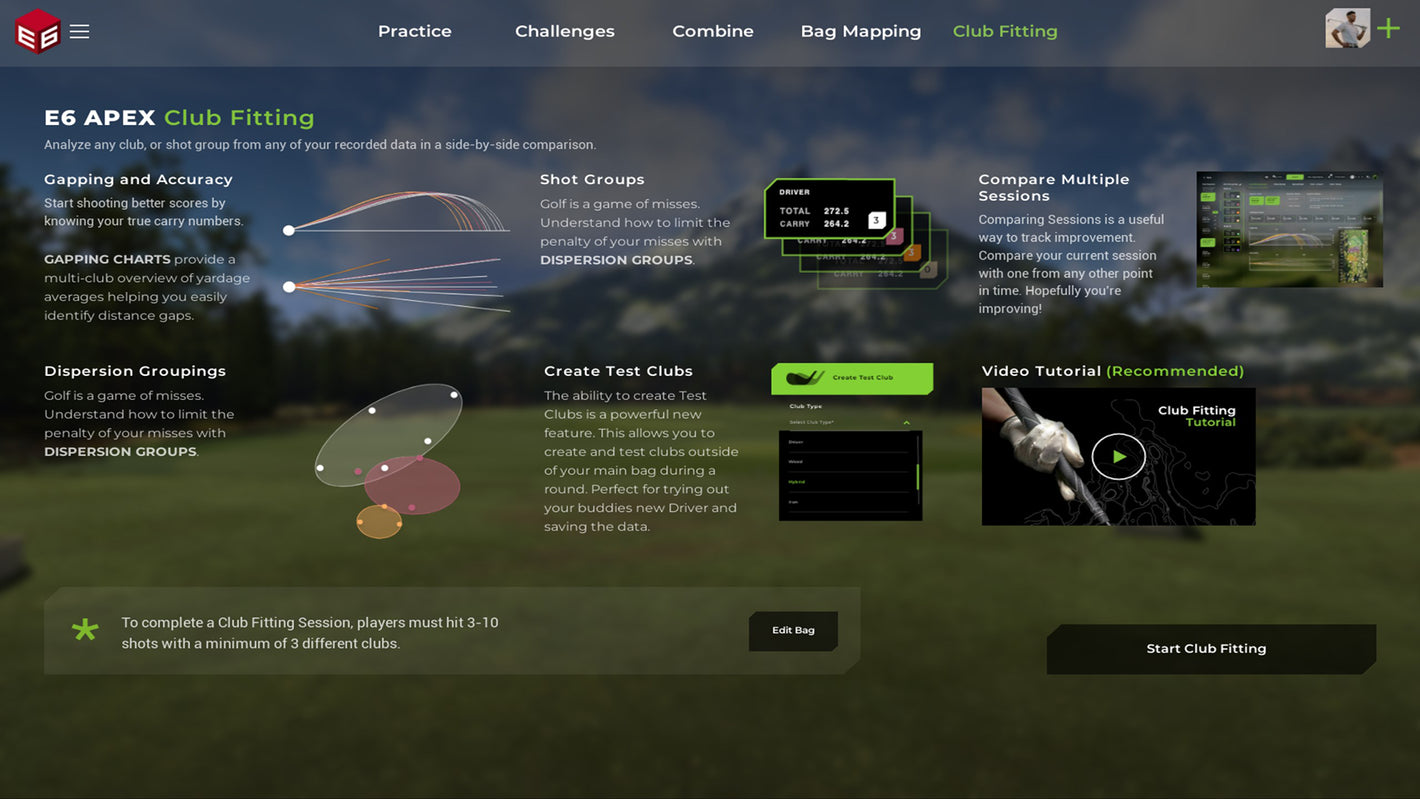
Club Fitting
WATCH.Optimize your equipment for better on-course performance with Club Fitting in E6. Compare and contrast to get the perfect ball flight.
-
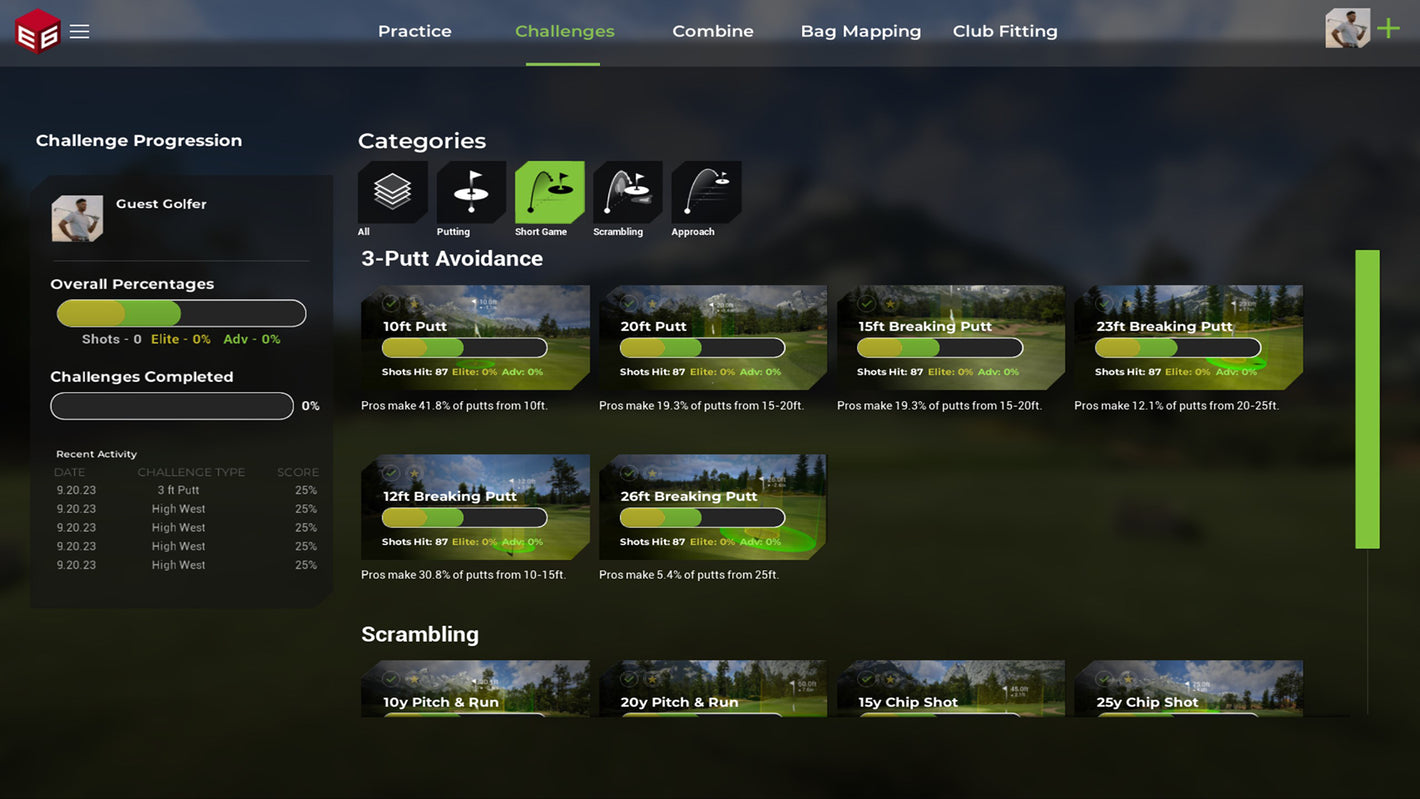
Challenges
DownloadMeet the new CHALLENGES inside E6. These quick mini games provide a fun and engaging way to work on your game and allow you to measure your improvement over time.
-
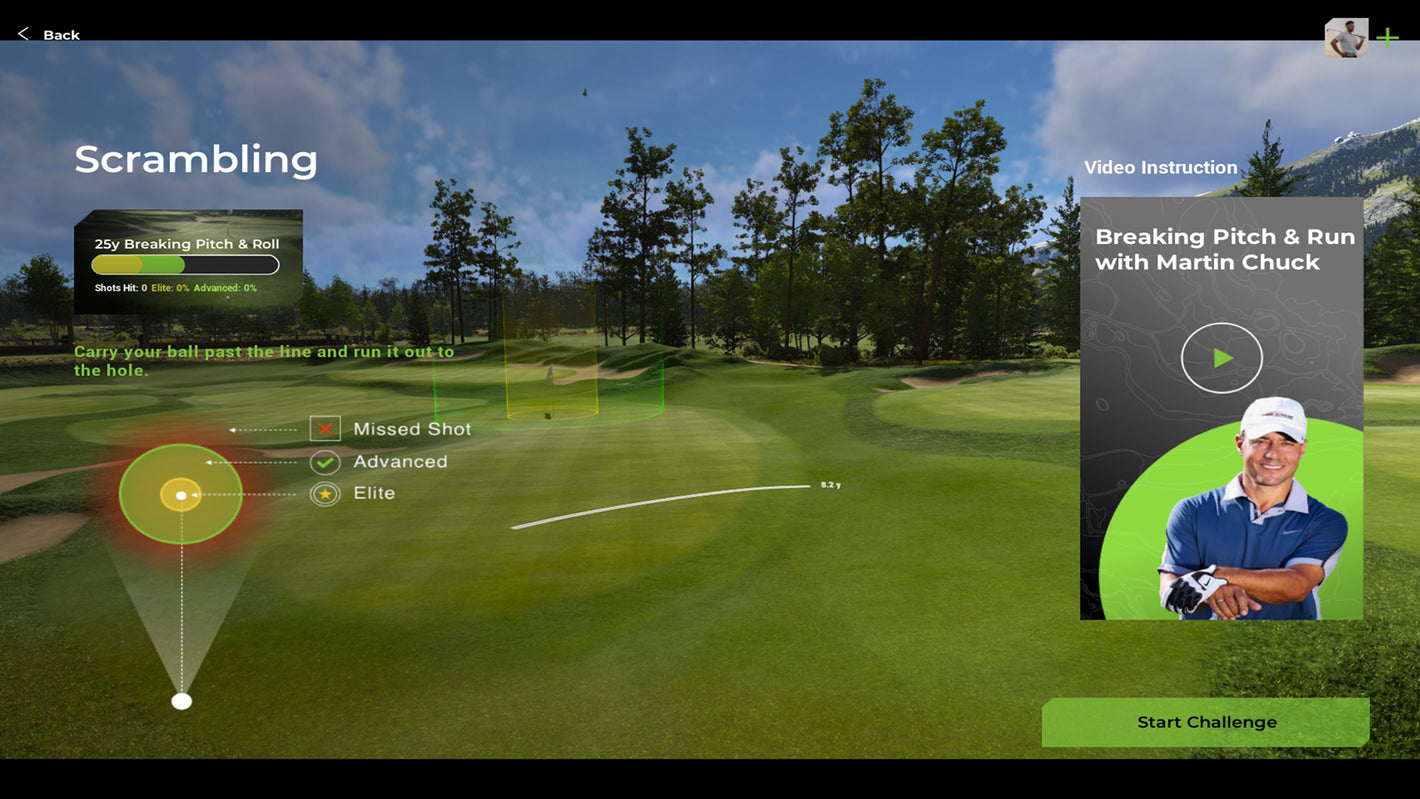
Coaching on Demand
SubscribeFollowing each Challenge, you have access to a video with tips from instructors like Martin Chuck.
E6 (2026) requires downloading the E6 Product Launcher first. The download is available on the TruGolf support page. Once installed, your active subscription unlocks your chosen tier of content including course play, improvement tools, or both.
E6 by TruGolf is used by PGA-certified instructors, club fitting studios, and commercial golf facilities worldwide. TruGolf has partnered with Joe Hallett, named PGA Coach of the Year, who contributes to the E6 Coaching on Demand feature. E6's AI-powered platform, built in collaboration with IBM watsonx.AI and Machine Learning tools, is designed to meet the data demands of both recreational golfers and serious competitors. E6 Connect is also the software of choice at thousands of commercial indoor golf facilities globally.
Yes. E6 by TruGolf includes a dedicated improvement suite designed to help golfers at every skill level measure and track progress. Key tools include:
- Bag Mapping: identifies dispersion patterns and average distances for every club in your bag.
- Club Fitting: compares ball flight data across club configurations to optimize equipment.
- Scoring Zone: a customizable practice target placed anywhere on the range to quantify proximity and ball striking accuracy.
- Skills Challenges: 46 structured mini-game challenges that measure specific areas of your game over time.
- Coaching on Demand: post-challenge instructional videos from PGA professionals including PGA Coach of the Year Joe Hallett and Martin Chuck.
To use these tools with a physical setup, browse TruGolf's full simulator lineup to find the right fit for your space.
E6 by TruGolf currently includes over 15,000 golf courses, rendered in 4K. The library includes iconic courses such as Bethpage Black, Lofoten Links, and Royal Portrush, alongside thousands of on-demand courses generated using AI-powered course creation technology developed with IBM watsonx.AI. New courses are added on a regular basis and release notes are published at the TruGolf blog. TruGolf's AI-assisted content pipeline can build and publish new courses in minutes, a process that previously took several weeks.
E6 (2026) is currently available for Windows PC. Minimum requirements include Windows 10 64-bit, an Intel i7 10th Gen processor or newer, 24GB RAM, an NVIDIA GeForce RTX 3060 with 12GB VRAM, and an NVMe SSD. Mobile and tablet compatibility is updated regularly on the TruGolf support page. E6 Connect has previously supported iPad and select mobile platforms.
E6 by TruGolf is compatible with 19 launch monitor devices, including the TruGolf APOGEE, TruGolf LaunchBox, FlightScope, Garmin R10, Garmin R50, Rapsodo, Ditect, VTrack, Square Golf, PiTrac, Impact Vision, GolfJoy, KGolf, and Bullseye Golf.
TruGolf's own APOGEE and LaunchBox are optimized for the deepest E6 integration, including ceiling-mounted ball tracking and full shot data analysis for both right and left-handed golfers.
E6 (2026) is TruGolf's latest generation of golf simulation software, built with AI-powered course creation technology developed in partnership with IBM watsonx.AI. It features 15,000+ 4K courses, an updated UI, and an expanded improvement suite including Bag Mapping, Club Fitting, and on-course practice modes. E6 Connect is TruGolf's previous-generation platform, still widely used at commercial facilities and supported through the E6 Connect Commercial Suite. E6 Connect is ideal for multi-bay business environments, while E6 (2026) is the recommended choice for individual golfers and home simulator setups focused on game improvement.
E6 is currently compatible with: TruGolf Launch Monitors, FlightScope, Garmin R10, Garmin R50, Rapsodo, Ditect, VTrack, Square Golf, PiTrac, Impact Vision, GolfJoy, KGolf, and Bullseye Golf Launch Monitors.
E6 by TruGolf is available through three subscription tiers:
- Play: $300 per year. Access to 15,000+ courses and standard course play modes.
- Improve: $150 per year. Focused on the full game improvement suite including Bag Mapping, Club Fitting, Skills Challenges, and practice tools.
- Enjoy: $450 per year. Full access to both course play and all improvement features.
E6 subscriptions can be purchased at portal.e6golf.com. E6 Connect subscriptions are sold separately and offer additional commercial licensing options.
E6 will initially include its Improvement Suite features with the Basic or Expanded Subscription. Users currently have access to: Club Fitting, Bag Mapping, Skills Challenges, and Full Practice capabilities.
Course Play is available for users with an Expanded Subscription.
E6 (2026) and E6 CONNECT Subscriptions can be purchased from our online webstore.
E6 (2026) Minimum PC Specs
- Windows 10 64-bit
- Intel i7 10th Gen Processor or newer
- 24 GB RAM 2666 Mhz DDR4 or better
- m.2 NVMe SSD 256GB or better
- NVIDIA GeForce RTX 3060 with 12 GB VRAM or better
- WiFi 5 (802. 11AC)
- Full USB 3 Connectivity
- Gigabit Ethernet

Available for Download
Course Play is now available. Users must first download the E6 PRODUCT LAUNCHER.

Great Data Makes golf, easy.
E6 Features


4K Courses
Skills Challenges
Devices Integrated